
Single point of contact: why it matters in logistics
In freight forwarding, information is scattered across email inboxes, Excel files, WhatsApp chats, phone call notes and shared drives. When a client asks 'what is the status of my shipment?', the answer requires checking three tools and asking two colleagues. A single point of contact CRM fixes this.
Ana Popescu
Product Lead
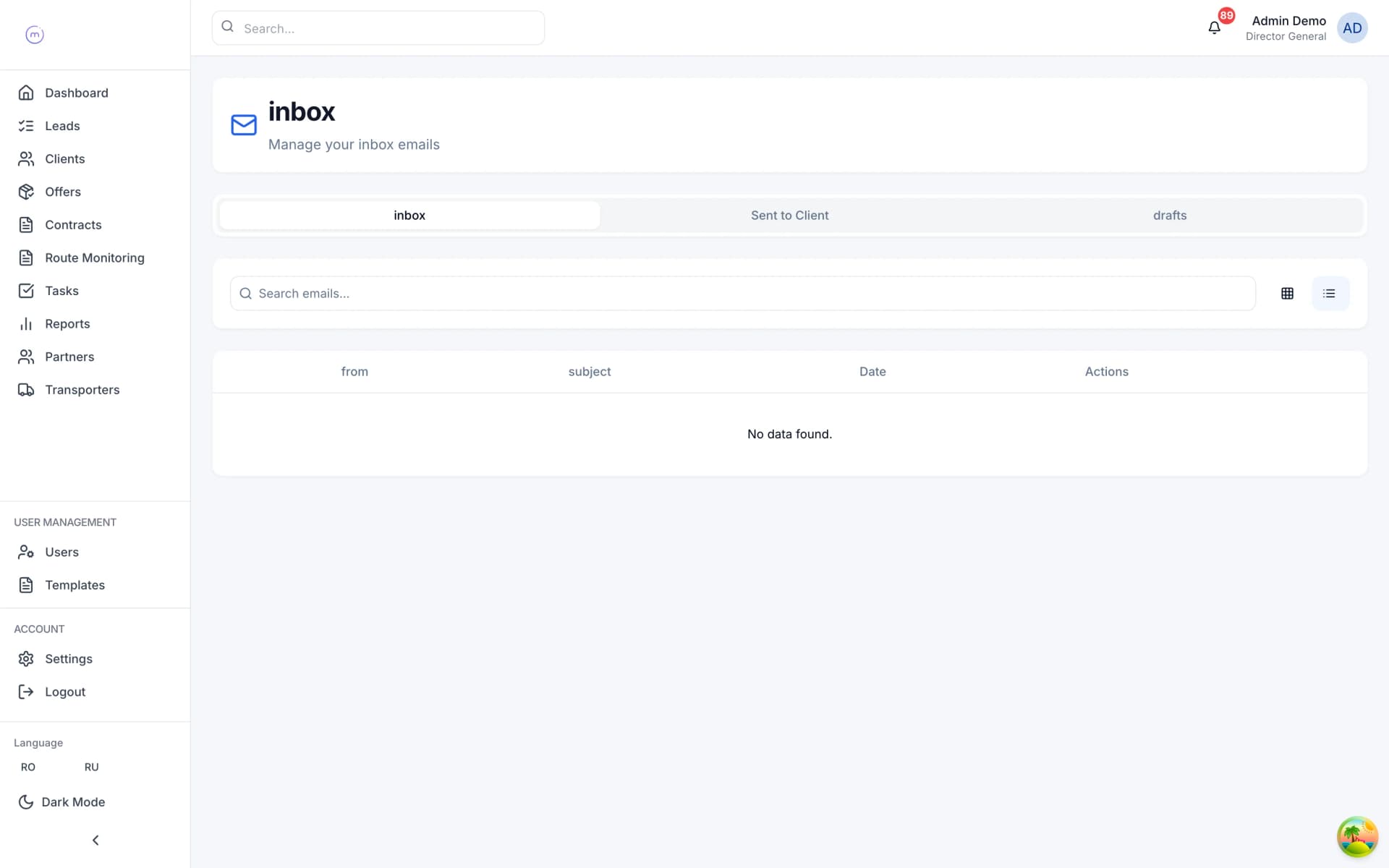
The problem: information fragmentation in freight forwarding
Walk into any freight forwarding office and count the tools. The offer was created in Excel. The client confirmation came by email. The carrier was booked on WhatsApp. The CMR was uploaded to SharePoint. The status update lives in a Google Sheet. The invoice was sent from the accounting system. The payment reminder is in someone's Outlook calendar.
No single tool has the complete picture. When the client calls and asks 'where is my container?', the sales rep has to check the tracking sheet, cross-reference the contract number in the email, and call the operations coordinator who spoke to the carrier's driver this morning.
This fragmentation has three costs:
- Time — every information retrieval requires switching tools and cross-referencing IDs. A study by McKinsey found that knowledge workers spend 19% of their time searching for internal information. For a 10-person forwarding team, that is nearly two full-time equivalents lost to search.
- Errors — when information lives in multiple places, it diverges. The Excel sheet says the delivery is on Thursday. The email says Friday. The carrier confirmed Tuesday. Nobody knows which is current because there is no single source of truth.
- Risk — when a team member goes on holiday, their knowledge goes with them. Inbox conversations, phone notes, WhatsApp messages — none of this is accessible to the colleague who covers for them. Clients experience a service gap. The root cause is often the same spreadsheet-based workflow we analyse in Excel vs CRM for freight forwarders.
What 'single point of contact' means in practice
Single point of contact does not mean one person handles everything. It means one system holds everything.
The concept comes from IT service management (ITIL) where it refers to a single help desk that handles all user requests. In logistics, the principle is the same: give the client one channel (and give your team one system) that has all the information about their shipment.
In a freight forwarding CRM, 'single point of contact' means:
Every offer — created, tracked and archived in the CRM. Every email about the offer is linked to it automatically. Every partner quote is stored against it.
Every contract — generated from the offer, stored in the CRM, with all documents (CMR, invoice, POD) attached to the contract record.
Every communication — email threads synced from Microsoft 365 or Google Workspace, linked to the relevant deal. Internal notes alongside the conversation. No need to search Outlook.
Every status update — shipment milestones updated in one place, visible on a public tracking page that the client can check without calling you.
Every document — uploaded against the deal, not in a shared folder. When someone asks for the CMR for contract #4521, you open the contract and it is there.
When the client calls, the sales rep opens the deal in the freight-native CRM and sees everything: the original offer, the accepted pricing, the contract, the carrier, the driver's phone number, the current delivery status, the last email and the latest document. One screen, one system.
Email integration: the backbone of centralisation
Email is the primary communication channel in freight forwarding. Clients send inquiries by email. Carriers respond by email. Documents are exchanged by email. If the CRM does not integrate with email, centralisation fails.
A freight CRM with email integration connects to your team's Microsoft 365 or Google Workspace accounts via OAuth. This means:
Incoming emails are auto-linked to deals — when a client replies to a quote email, the reply lands on the offer record in the CRM. The matching uses conversation IDs and email participant classification (client, partner, internal).
Outgoing emails are sent from the CRM — the sales rep can compose and send emails directly from the deal view. The email goes through their actual mailbox (so it appears in their Sent folder) but is also stored on the deal.
Team visibility — any team member with access to the deal can see the full email thread. When someone is on holiday, their colleague can pick up the conversation without forwarding emails or asking for passwords.
No manual forwarding — the old approach was 'forward this email to the CRM inbox so it gets logged'. Manual processes get skipped. Automatic sync does not.
Search — instead of searching Outlook for 'that email about the Rotterdam shipment from last month', you open the deal and scroll through the communication history.
Branded tracking pages: proactive client communication
The best single point of contact is one that eliminates the need for the client to contact you at all.
Branded tracking pages are public, no-login web pages that show the current status of a shipment. When a contract is created, the system generates a unique tracking URL. The client can check it any time — on their phone, at 11pm, without calling anyone.
The tracking page shows: current milestone (Loaded, In Transit, Arrived, Customs, Delivered, Invoiced, Paid, Closed), estimated delivery date, last update timestamp, and optionally driver and truck details.
When the operations team updates the shipment status in the CRM, the tracking page updates automatically. The client can also receive email or SMS notifications on status changes.
The result: fewer inbound 'where is my shipment?' calls. In our data, forwarders who use branded tracking pages see a 40-60% reduction in status inquiry calls. That is time your team can spend on revenue-generating activities instead of answering the same question about the same container for the third time today.
There is also a competitive advantage: clients increasingly expect self-service tracking. Amazon and courier companies have set the standard — real-time visibility is no longer a premium feature, it is baseline expectation. A forwarder who offers branded tracking pages positions themselves as modern and client-centric, while competitors who require clients to phone or email for updates feel outdated. For larger clients managing dozens of active shipments, the tracking page becomes a daily-use tool that deepens the relationship and increases retention.
The five tools a logistics CRM replaces
When a freight forwarding CRM is properly implemented, it replaces or consolidates:
- Excel — for offer creation, pricing calculation, margin tracking and pipeline reporting. The CRM handles multimodal quoting with auto-calculated margin, currency conversion and real-time reporting.
- Email client (as a deal management tool) — you still use Outlook or Gmail for personal email, but deal-related communication lives in the CRM. Emails are auto-linked, searchable by deal, and accessible to the whole team.
- WhatsApp / phone notes — internal notes on deals are written in the CRM, not in chat apps. Carrier conversations are logged against the contract. Nothing is lost when someone changes their phone.
- Shared drive (SharePoint, Google Drive) — documents are uploaded against the specific contract, not into folder hierarchies that nobody maintains. Document completeness is tracked automatically.
- Separate tracking tools — shipment monitoring with milestone statuses, driver and truck details, and public tracking pages are built into the CRM. No separate tracking spreadsheet needed.
This is not about buying one expensive tool instead of five cheap ones. It is about having one source of truth instead of five conflicting sources of partial truth.
The measurable impact: teams that consolidate onto a single freight CRM report spending 25-40% less time on administrative tasks (searching for information, updating multiple tools, reconciling conflicting data). That recovered time flows directly into client-facing activities — more quotes sent, more follow-ups made, more carrier negotiations completed. The tool consolidation does not just reduce cost; it increases capacity without adding headcount. For a detailed look at why generic tools fail, read CRM for expedition companies.
Implementation: how to centralise without disrupting operations
The biggest risk in CRM adoption is disrupting the team's daily work during the transition. Here is a practical approach:
Week 1-2: Data import — import client lists, partner lists and carrier registries from existing spreadsheets. Most freight CRMs have CSV import tools. Clean the data before importing: remove duplicates, standardise company names, verify email addresses.
Week 2-3: Email integration — connect Microsoft 365 or Google Workspace accounts. Start with one or two team members as a pilot. Verify that emails are being synced and linked correctly to deals.
Week 3-4: Parallel operation — new offers go into the CRM. Existing in-progress deals stay in the old system until they close. The team uses both systems during this period.
Week 4-5: Full transition — all new work goes through the CRM. The old spreadsheets become read-only archives. Training sessions cover specific workflows: 'how to create an offer', 'how to generate a contract', 'how to update shipment status'.
Week 6+: Optimisation — configure contract templates, set up automated notifications, build custom reports, adjust workflows based on team feedback.
The key principle: do not try to migrate historical data and change every process at once. Start with new deals, let the team build muscle memory, then gradually bring in historical records as needed.
Total time to operational: 4-6 weeks for a 10-30 person team. The old tools do not disappear overnight — they fade as the team realises that everything they need is in one place.
The adoption curve follows a predictable pattern: in week one, the team uses the CRM reluctantly while checking their old spreadsheets for comfort. By week three, most daily tasks happen in the CRM because it is genuinely faster. By week six, team members actively resist going back to the old way because the single-system workflow is visibly superior. The key to reaching this point is ensuring that the initial setup covers the team's most frequent tasks — offer creation, email linking and status updates — so the daily experience is better from day one. Book a demo to see this workflow in action.