
A freight-native CRM, not a generic sales tool.
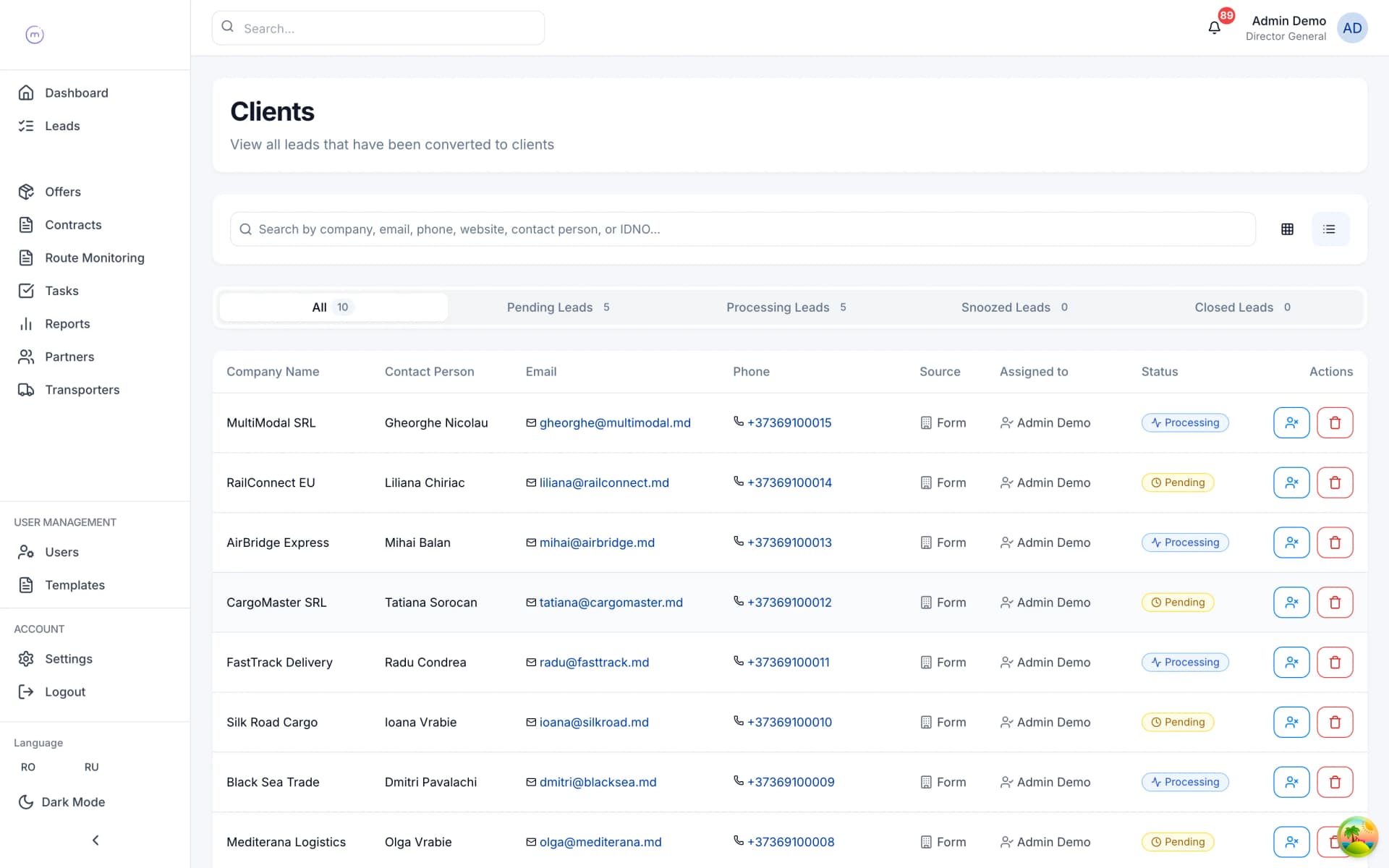
Most CRMs were built for software deals and retrofitted to freight. LogiCRM's CRM was built around the way a forwarder actually works — leads, clients, assignment, activity timelines, multiple emails per contact, custom fields, bulk import — without the fluff of a sales suite.
Every feature, in plain language.
4 feature groups · 22 capabilities. No jargon, no asterisks.
Lead → client lifecycle
- Distinct Lead and Client entities with a clear promotion path.
- Client status pipeline: Pending → Processing → Snoozed → Closed.
- Snooze with a reason and a 'snooze until' date — no lead forgotten, none cluttering your pipeline.
- Source tracking: form submission or bulk import, so you know what your acquisition is doing.
- Lead → Client conversion timestamped for funnel analytics.
Client data
- Company block: name, IDNO, VAT/TVA, address, postal code, city, country.
- Contact block: person name, phone, website.
- Banking block: bank name, BIC, IBAN.
- Multi-email per client with a primary designation — one record, every address.
- Per-organisation custom fields, targeted by form type (lead, client, offer, partner, transporter).
Team workflow
- Assign leads and clients to sales-team members with automatic notifications.
- Team leads see everyone's book; sales managers manage their own plus oversight.
- Logistics managers only see clients tied to their own assigned offers — automatic data segregation.
- Activity timeline per client: offer created, sent, quoted, contracted, signed, documented, closed.
- Internal notes on every record with user attribution and timestamps.
- Email history matched to clients via sender/recipient mapping.
Bulk lead import
- Upload Excel or CSV files of leads with hundreds or thousands of rows.
- Multi-stage pipeline: Analysing → Mapping → Validated → Importing → Completed or Failed.
- Auto-detected columns with a manual mapping override.
- Per-row validation with clear error reporting.
- Duplicate detection with counts of valid, duplicate and invalid rows before you commit.
- Rollback on failure so a botched import never corrupts your pipeline.
Related modules.
A public tracking page your clients actually open.
Every contract gets its own no-login tracking page that you can share with a client via a branded link. Status milestones flow from 'cargo loaded' all the way to 'trip closed and invoice paid' — your ops team updates once, the client sees it immediately.
Explore /06Profit per shipment, in real time.
Most freight forwarders discover their margin at month-end. LogiCRM gives you profit per shipment the moment pricing is locked — plus conversion rate, activity feed, cohort comparisons and export-ready reports for your CFO.
ExploreSee LogiCRM running on your real lanes.
Bring a real client, a real lane, a real margin problem. We'll show you how it would look in LogiCRM — in twenty minutes.